Unit 1: Exploring the Word Window
3. Parts of Ribbon in Microsoft Word
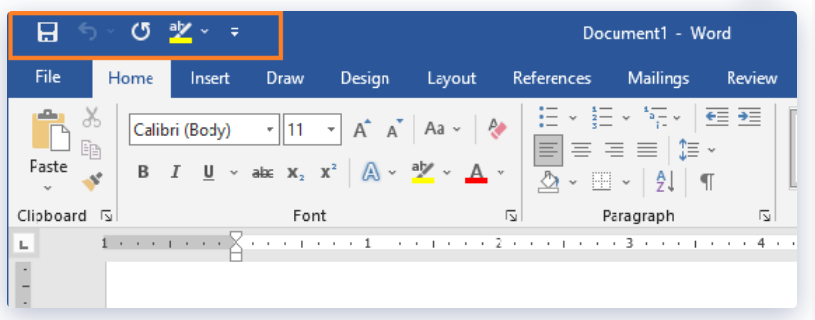
1. MS Word Quick Access Toolbar
The Quick Access Toolbar, is a set of the most-used commands that are always available, no matter what MS Word Ribbon command set is being used. By default, the QAT comes with three commands: Quick Save, Undo, and Redo. But many people change the QAT to add print, copy, and paste to the default commands.
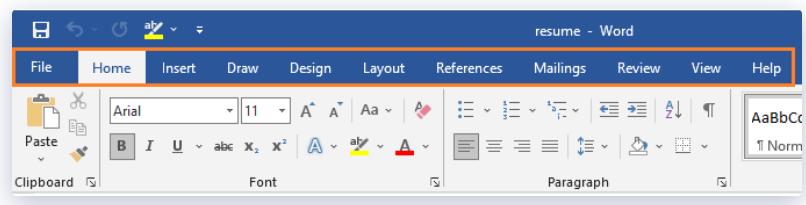
2. MS Word Ribbon Tabs
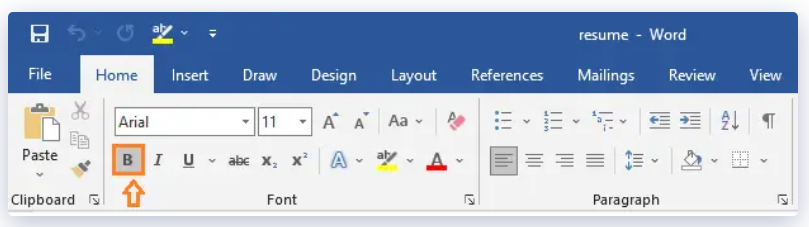
The Tabs of MS word 2019 are like the old way of making menus. But instead of a list of menus, when you switch Tabs, you’ll see a different set of commands on the Ribbon. Along the top of Word 2019, there are 11 tabs: File, Home, Insert, Draw, Layout, References, Mailings, Review, View and Help.
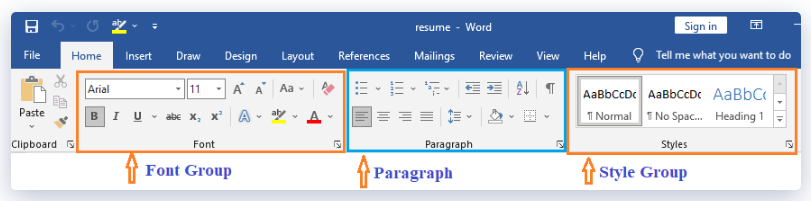
3. Ribbon Groups
Each tab on the Ribbon has many command groups as we’ve notice. When selecting the Home tab in Word, for instance, the following groups are displayed: Clipboard, Font, Paragraph, Styles, and Editing.
Each group contains the most frequently used command buttons for that category; for instance, the Font group contains the Bold, Italic, and Underline command buttons.
4. Command Buttons
The command buttons are the components that are responsible for doing all of the work. If you want certain words to stand out more, for instance, you would use the Bold button to make that change.
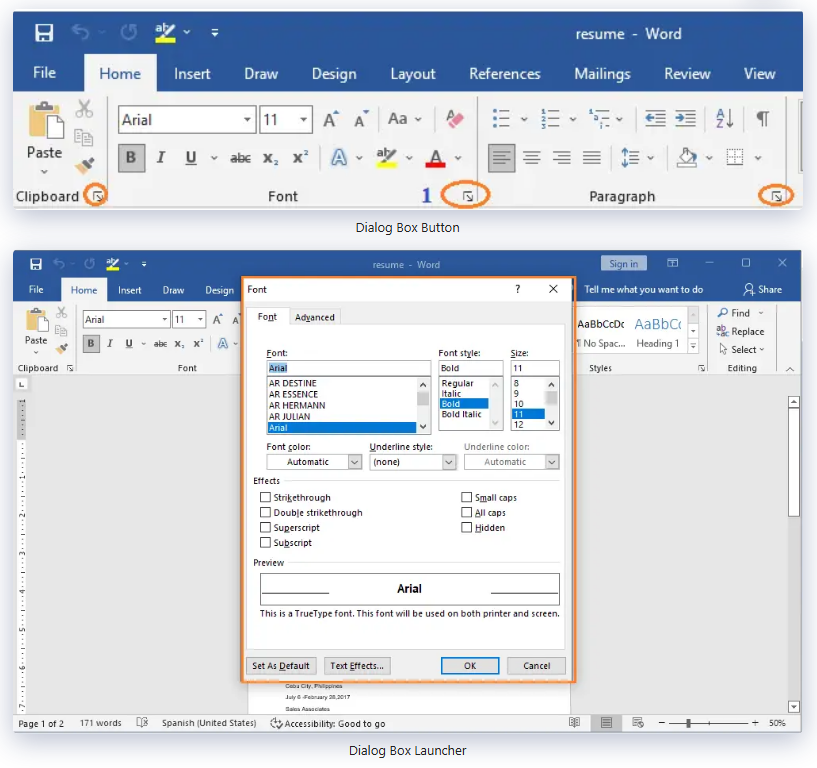
5. Dialog Launcher of MS Word Ribbon
Dialog Launcher is a set of command buttons that cannot fit on the Ribbon due to lack of space. If there is an additional command set, an arrow in the bottom right corner of the group will be visible, which will allow you to see the complete command set.