Unit 1
| Site: | Newgate University Minna - Elearning Platform |
| Course: | Introduction to Web Technologies |
| Book: | Unit 1 |
| Printed by: | Guest user |
| Date: | Saturday, 25 July 2026, 9:23 AM |
HTML
HTML stands for Hyper Text Markup Language, which is the most widely used language on Web to develop web pages. HTML was created by Berners-Lee in late 1991 but "HTML 2.0" was the first standard HTML specification which was published in 1995.
• Hypertext refers to the way in which Web pages (HTML documents) are linked together. Thus, the link available on a webpage is called Hypertext.
• As its name suggests, HTML is a Markup Language which means you use HTML to simply "mark-up" a text document with tags that tell a Web browser how to structure it to display.
HTML is a MUST for students and working professionals to become a great Software Engineer specially when they are working in Web Development Domain. Some of the key advantages of learning HTML:
• Create Web site - You can create a website or customize an existing web template if you know HTML well.
• Become a web designer - If you want to start a carrer as a professional web designer,
HTML and CSS designing is a must skill.
• Understand web - If you want to optimize your website, to boost its speed and performance, it is good to know HTML to yield best results.
• Learn other languages - Once you understands the basic of HTML then other related technologies like javascript, php, or angular are become easier to understand.
Basic HTML Document Structure
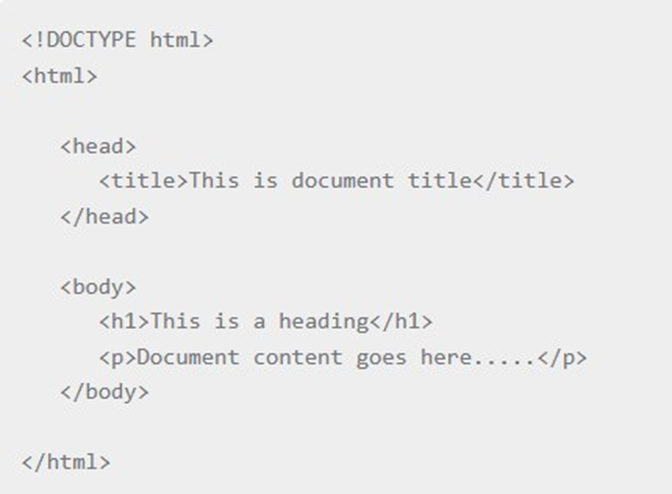
• The <!DOCTYPE html> declaration defines that this document is an HTML5 document
• The <html> element is the root element of an HTML page
• The <head> element contains meta information about the HTML page
• The <title> element specifies a title for the HTML page (which is shown in the
browser's title bar or in the page's tab)
• The <body> element defines the document's body, and is a container for all the visible contents, such as headings, paragraphs, images, hyperlinks, tables, lists, etc.
• The <h1> element defines a large heading
• The <p> element defines a paragraph
HTML Element
An HTML element is defined by a start tag, some content, and an end tag:
<tagname> Content goes here... </tagname>
The HTML element is everything from the start tag to the end tag:
<h1>My First Heading</h1>

Note: Some HTML elements have no content (like the <br> element). These elements are called empty elements. Empty elements do not have an end tag!
HTML Page Structure
Below is a visualization of an HTML page structure:
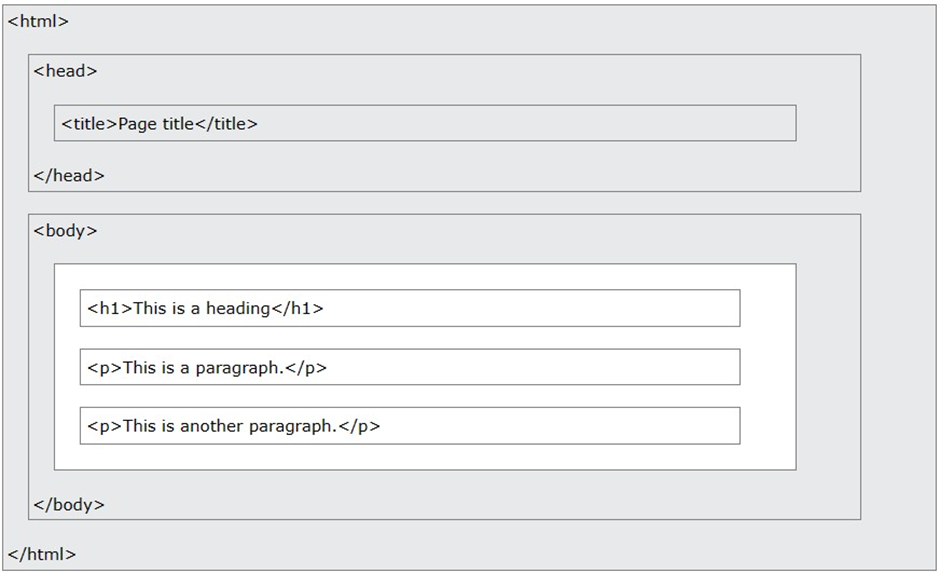
Note: The content inside the <body> section (the white area above) will be displayed in a browser. The content inside the <title> element will be shown in the browser's title bar or in the page's tab.
HTML Tags
As said earlier, HTML is a markup language and makes use of various tags to format the content. These tags are enclosed within angle braces <Tag Name>. Except few tags, most of the tags have their corresponding closing tags. For example, <html> has its closing tag </html> and <body> tag has its closing tag </body> tag etc.
Some important HTML tags
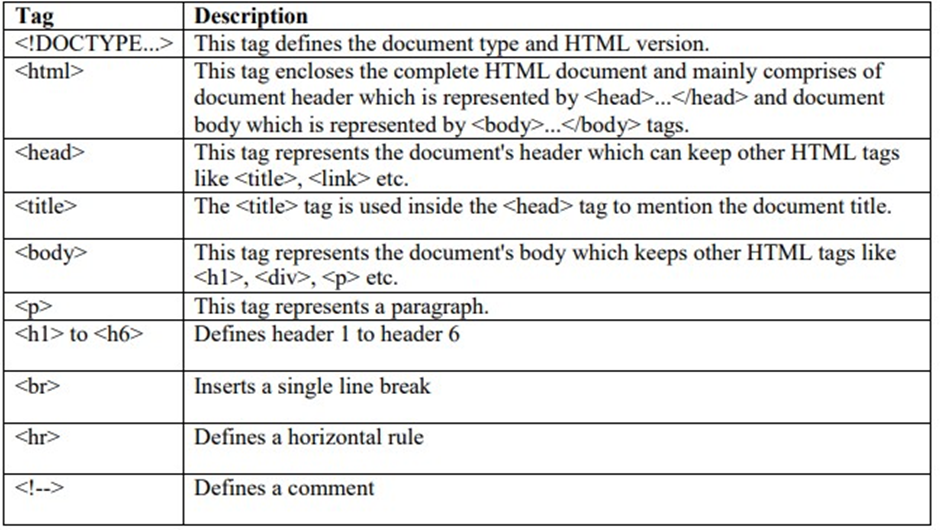
Research for the complete list of all HTML tags
HTML Attribute
HTML attributes provide additional information about HTML elements.
• All HTML elements can have attributes
• Attributes provide additional information about elements
• Attributes are always specified in the start tag
• Attributes usually come in name/value pairs like: name="value"
1. The href Attribute
The <a> tag defines a hyperlink. The href attribute specifies the URL of the page the link goes to:
Example: <a href="https://www.newgateuniversityminna.edu.ng.com">Visit newgate</a>
2. The Src Attribute
The <img> tag is used to embed an image in an HTML page. The src attribute specifies the path to the image to be displayed:
Example: <img src="img_girl.jpg">
3. The width and Height Attribute
The <img> tag should also contain the width and height attributes, which specify the width and height of the image (in pixels):
Example: <img src="img_girl.jpg" width="500" height="600">
4. The Style Attribute
The style attribute is used to add styles to an element, such as color, font, size, and more.
Example: <p style="color:red;">This is a red paragraph.</p>
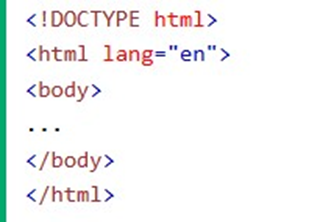
5. The Lang Attribute
You should always include the lang attribute inside the <html> tag, to declare the language of the Web page. This is meant to assist search engines and browsers.
The following example specifies English as the language:
6. The Title Attribute
The title attribute defines some extra information about an element.The value of the title attribute will be displayed as a tooltip when you mouse over the element:
Example: <p title="I'm a tooltip">This is a paragraph.</p>
Exercise: Research for the complete list of all attributes for HTML element
HTML Style
The HTML style attribute is used to add styles to an element, such as color, font, size, and more.
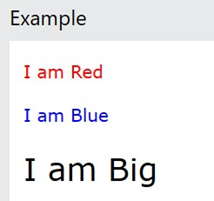
Setting the style of an HTML element, can be done with the style attribute. The
HTML style attribute has the following syntax: <tagname style="property:value;">
The property is a CSS property. The value is a CSS value.
Note: You will learn more about CSS later
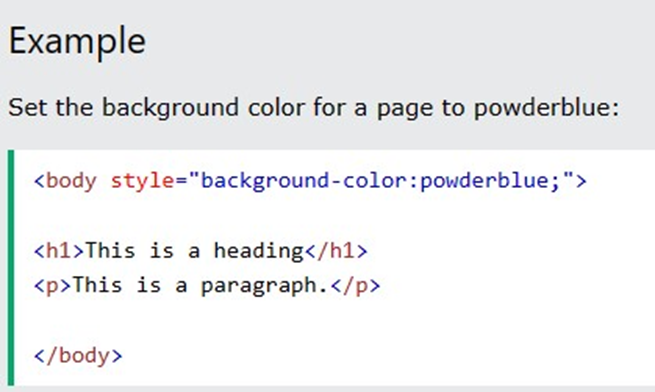
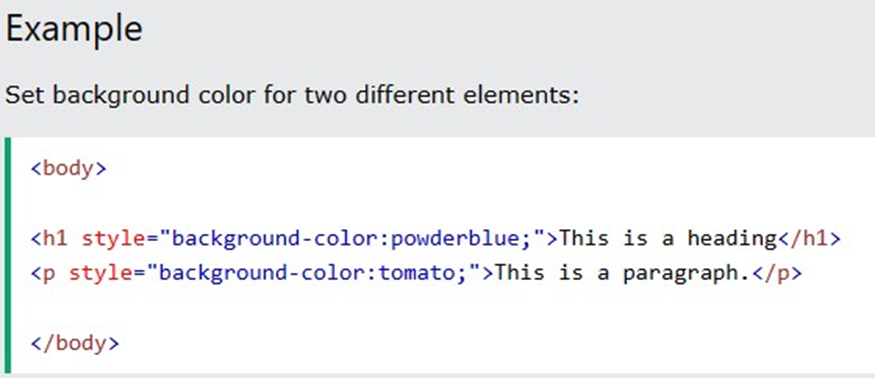
Background color
The CSS background-color property defines the background color for an HTML element.
Text Color
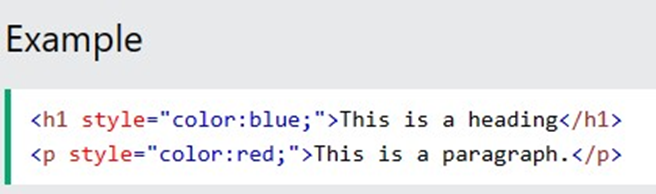
The CSS color property defines the text color for an HTML element:
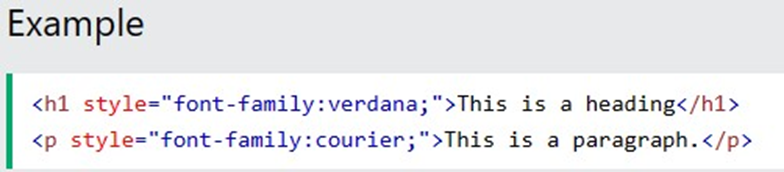
Fonts
The CSS font-family property defines the font to be used for an HTML element:
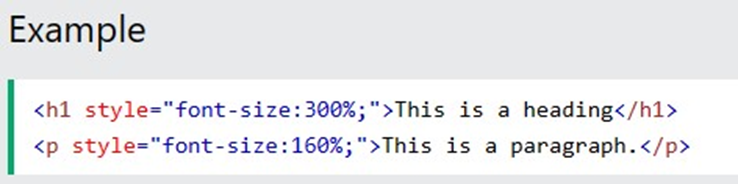
Text Size
The CSS font-size property defines the text size for an HTML element:
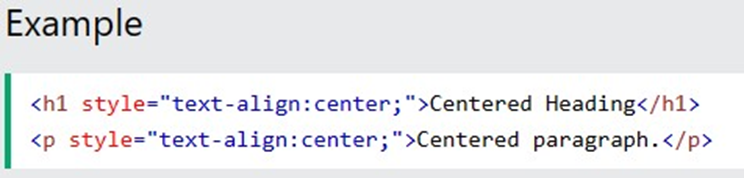
Text Alignment
The CSS text-align property defines the horizontal text alignment for an HTML element:
HTML Formatting Element
Formatting elements were designed to display special types of text:
• <b> - Bold text
• <strong> - Important text
• <i> - Italic text
• <em> - Emphasized text <mark> - Marked text
• <small> - Smaller text
• <del> - Deleted text
• <ins> - Inserted text
• <sub> - Subscript text
• <sup> - Superscript text