
Unit 4: Formatting a Document
Formatting
The appearance of text can be changed in various ways. It is possible to change existing text or set up options that will be used for future text that you type. With after-the-fact editing, which is typically easier, the first step is selecting the text.
Changing Fonts
A computer font is a specific, preset type style. Most word processing programs contains many fonts. Changing the font can radically alter the appearance of a document. While fonts can be fun to play with, too many fonts in one document make a document look cluttered and hard to read. Some fonts, by their nature, are better for simple, short documents.
To change the font:
· Select the text to be changed
· Go to the Home tab - Font group - Font down arrow and select a new font from the list
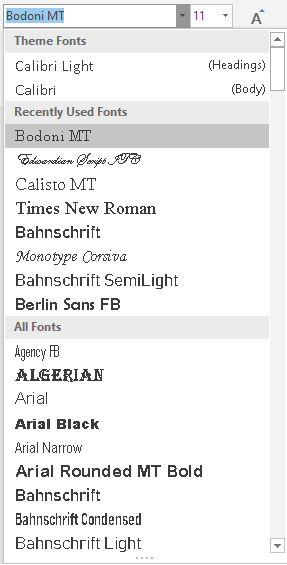
The names are written in their font style. Word also previews the font in the document as the mouse is moved over the font names.