
COMPONENTS OF A WINDOWS DESKTOP
1. Basic components of the windows desktop
COMPONENTS OF WINDOW
Window is the rectangular portion or a frame which contains any file, folder or programme on it. A typical window may contains following elements,
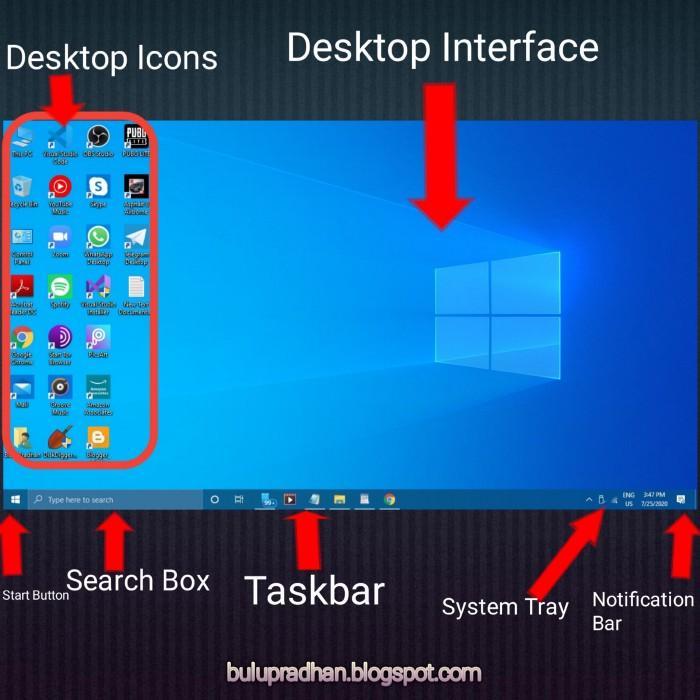
The basic components of the windows desktop are:
1. ICON
2. TASKS BAR
3. BACKGROUND
ICON
An Icon in windows is a small picture or object that represents a file, program, web page or command prompt. Mostly the Icon are related to the function of the item that it represents . The pictorial representation of any file, folder and programme is called an ICON, For example This PC, My Networks, Recycle Bin etc.
TASK BAR
A taskbar is a virtual device on the desktop that typically shows the user which applications (tasks) are currently active and running it is usually found at the bottom of the desktop, but it depends user‘s modification.
BACKGROUND
A background is also called DESKTOP. It
is the area where Icons and windows are displayed.